
![[KNA003] SHADOW Android Screenshot](https://playstoresales.com/wp-content/uploads/2026/07/KNA003-SHADOW.jpg)
![[KNA003] SHADOW Android Screenshot 2](https://playstoresales.com/wp-content/uploads/2026/07/KNA003-SHADOW-Android-Screenshot-2.png)
![[KNA003] SHADOW Android Screenshot 3](https://playstoresales.com/wp-content/uploads/2026/07/KNA003-SHADOW-Android-Screenshot-3.png)
![[KNA003] SHADOW Android Screenshot 4](https://playstoresales.com/wp-content/uploads/2026/07/KNA003-SHADOW-Android-Screenshot-4.png)
![[KNA003] SHADOW Android Screenshot](https://playstoresales.com/wp-content/uploads/2026/07/KNA003-SHADOW-400x400.jpg)
![[KNA003] SHADOW Android Screenshot 2](https://playstoresales.com/wp-content/uploads/2026/07/KNA003-SHADOW-Android-Screenshot-2-400x400.png)
![[KNA003] SHADOW Android Screenshot 3](https://playstoresales.com/wp-content/uploads/2026/07/KNA003-SHADOW-Android-Screenshot-3-400x400.png)
![[KNA003] SHADOW Android Screenshot 4](https://playstoresales.com/wp-content/uploads/2026/07/KNA003-SHADOW-Android-Screenshot-4-400x400.png)


App Description
Wear Os Watch Face With Customizable Complications
WATCH FACE INSTALLATION NOTES:
How to install Watch Face To Wear OS Watch follow the link below:
https://drive.google.com/file/d/1AKwnYXoQ9Wdx20b31-hqpcsTPgJ2QCVB/view?usp=drive_link
Check your watch's compatibility with WEAR OS before proceeding with the installation. (Note: Galaxy Watch 3 and Galaxy Active are not WEAR OS devices.)
✅ Compatible devices include API level 30+ Google Pixel, Galaxy Watch 4, 5, 6, and other Wear OS models.
🚨 Watch faces don't automatically apply on your watch screen after the installation. That's why you MUST set it on your watch's screen.
Features:
– Analog and Digital Styles
– Date , Day of week , Month
– 1 Editable Complication
– 3 Editable App shortcut
– 5 Colors Background , Clock Hand , Steps Progress
– Steps Count , Heart Rate , Battery Level , Moon Phase , unread message count , Next event
– Field background animation
Customization:
1. Touch and Hold Display
2. Tap on Customize Option
Complications:
You can customize with the any data you want.
For example , you can select weather , world clock , sunset/sunrise , barometer etc.
**Some features may not be available on some watches.
For further support, please contact: [email protected]
Thank you for Your support.
Also On Sale
-
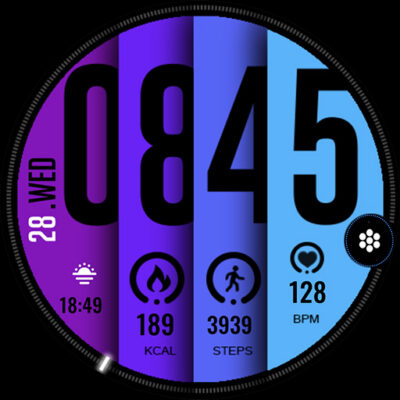
ML2U 30N Watch Face
$1.64 -
-
Winter Burrow
$9.99 -
Fluorescent – Icon Pack
$0.39